How to Replace G5 Fan
Complete step-by-step guide · 30-45 minutes · Difficulty: Medium
🔧 Tools You Need
- Phillips screwdriver
- Plastic pry tool
- Thermal paste
- Anti-static wrist strap
Step-by-Step Instructions
- 1
Power off and remove the battery.
- 2
Remove the bottom panel screws.
- 3
Locate the cooling fan — usually near the center or GPU.
- 4
Disconnect the fan power cable from the motherboard.
- 5
Remove the fan mounting screws.
- 6
Clean thermal paste residue from the heatsink.
- 7
Install the new fan and reconnect the cable.
- 8
Apply fresh thermal paste if replacing the heatsink too.
- 9
Reassemble and test.
Buy G5 Fan in Egypt

CPU Cooling Fan Lenovo Ideapad G400S G405S G500S G505S Z501 Z505 AT0YB0020V0 AT0YB0020F0 DC28000DAS0
550 EGP
Out of Stock
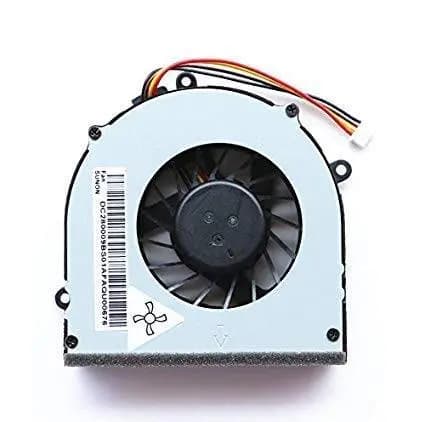
CPU Cooling Fan Lenovo Ideapad G570, G575, G470 JBDPFDA9
590 EGP
✓ In Stock

CPU Cooling Fan Dell Latitude 5480 0G5JG4
680 EGP
Out of Stock

CPU Cooling Fan Lenovo Ideapad 720S EG50040S1-CA10-S9A
1,460 EGP
Out of Stock
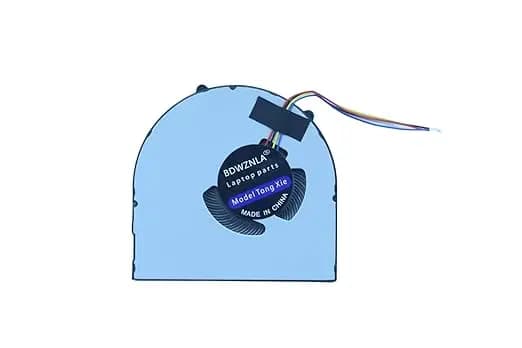
CPU Cooling Fan Lenovo Ideapad G580 B480 B490 V480 V580 B580 KSB05105HB-BJ75
640 EGP
✓ In Stock

CPU Cooling Fan Dell Latitude 5500 Precision 3540 EG50040S1-CH40-S9A 01GM4N
680 EGP
Out of Stock
Frequently Asked Questions
How long does it take to replace a G5 Fan?
Replacing a G5 Fan typically takes 30-45 minutes. Difficulty level: Medium.
What tools do I need to replace a G5 Fan?
You will need: Phillips screwdriver, Plastic pry tool, Thermal paste, Anti-static wrist strap.
Where can I buy a G5 Fan in Egypt?
You can buy original and compatible G5 Fan parts at Almasrya.net with fast delivery across Egypt.