How to Replace 7567 Battery
Complete step-by-step guide · 20-40 minutes · Difficulty: Easy to Medium
🔧 Tools You Need
- Phillips screwdriver
- Plastic pry tool
- Anti-static wrist strap
Step-by-Step Instructions
- 1
Power off the laptop and unplug the charger.
- 2
If the battery is external, press the release latch and slide it out.
- 3
For internal batteries: remove the bottom panel screws with a Phillips screwdriver.
- 4
Gently lift the bottom panel using a plastic pry tool.
- 5
Disconnect the battery connector from the motherboard.
- 6
Remove the battery mounting screws and lift the battery out.
- 7
Insert the new battery, reconnect the connector, and secure the screws.
- 8
Replace the bottom panel and charge the new battery fully before use.
Buy 7567 Battery in Egypt

Battery Laptop Dell Inspiron 7557 7559 7557 7567 7566 15-7567 15-7566 0357F9
2,700 EGP
Out of Stock
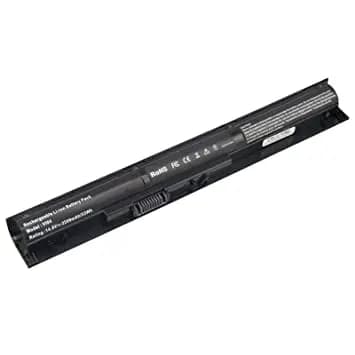
Battery Laptop HP Probook 450 G2 V104 756743-001
2,020 EGP
Out of Stock

Battery Laptop HP VI04 V104 Envy 14 15 17 Series HP Pavilion 15 17 Q139 Q140 Q141 Q142 Q143 Spare 756743-001 756744-001 756745-001 756479-421 756478-421 756478-851
2,020 EGP
Out of Stock
Frequently Asked Questions
How long does it take to replace a 7567 Battery?
Replacing a 7567 Battery typically takes 20-40 minutes. Difficulty level: Easy to Medium.
What tools do I need to replace a 7567 Battery?
You will need: Phillips screwdriver, Plastic pry tool, Anti-static wrist strap.
Where can I buy a 7567 Battery in Egypt?
You can buy original and compatible 7567 Battery parts at Almasrya.net with fast delivery across Egypt.