How to Replace 5000 Keyboard
Complete step-by-step guide · 15-30 minutes · Difficulty: Medium
🔧 Tools You Need
- Plastic pry tool
- Phillips screwdriver
- Anti-static wrist strap
Step-by-Step Instructions
- 1
Turn off the laptop completely and disconnect the power adapter.
- 2
Remove the battery if it's removable.
- 3
Use a plastic pry tool to carefully lift the keyboard bezel from the top edge.
- 4
Disconnect the keyboard ribbon cable by flipping up the ZIF connector lock.
- 5
Lift the old keyboard out carefully.
- 6
Connect the new keyboard ribbon cable and lock the ZIF connector.
- 7
Seat the new keyboard and press gently until it clicks into place.
- 8
Reconnect the battery and power on to test.
Buy 5000 Keyboard in Egypt

Keyboard Laptop Dell Inspiron 15-5000, 5551, 5555, 5558, 5555, 5557, 5559, 5576 PK1313G4A09, 0G7P48
755 EGP
Out of Stock

Keyboard Laptop Dell Inspiron 14-5000 5451 5455 5448 5457 5458 5459 03D62C
900 EGP
✓ In Stock

Keyboard Laptop Dell Inspiron 5559 Backlit 15 5000 5545 5548 5557 5558 08K8Y0
1,940 EGP
✓ In Stock
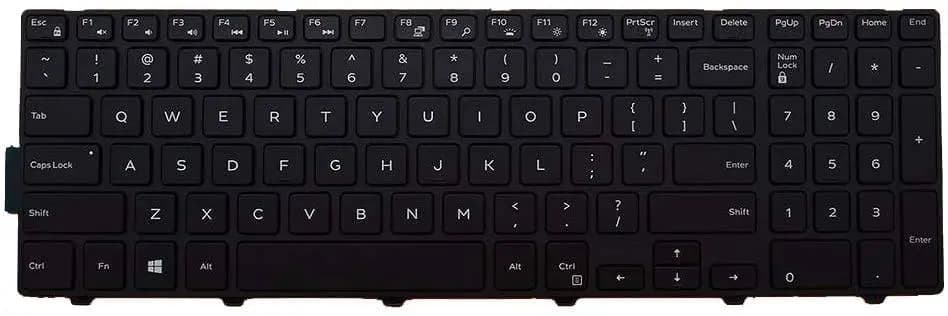
Keyboard Laptop Dell Inspiron 15-3541 3542 3543 5542 5545 5555 5558 5000 5559 0JYP58
850 EGP
✓ In Stock
Frequently Asked Questions
How long does it take to replace a 5000 Keyboard?
Replacing a 5000 Keyboard typically takes 15-30 minutes. Difficulty level: Medium.
What tools do I need to replace a 5000 Keyboard?
You will need: Plastic pry tool, Phillips screwdriver, Anti-static wrist strap.
Where can I buy a 5000 Keyboard in Egypt?
You can buy original and compatible 5000 Keyboard parts at Almasrya.net with fast delivery across Egypt.